

EBT Unlock Key: Unlock Your Bosch E-Bike in Minutes
Bosch Browser-Based Unlock Instructions
Remove the factory speed limit – without chip installation, without an app, and without software setup.
The EBT Unlock Key is the browser-based solution for many compatible Bosch Gen1–Gen4 systems on BES1 / BES2. The EBTsmart Unlock Key is the dedicated browser-based solution for compatible Bosch Smart System / BES3 e-bikes.
All you need is a supported device, a stable internet connection, a genuine USB data cable and your personal license code.
What You Need
- Supported devices: Windows computer, Apple computer or Android smartphone
- Not supported: iPhone and iPad
- Supported browsers: Google Chrome or Microsoft Edge
- USB cable: a genuine USB data cable, not a charge-only cable
- Internet: stable internet connection
- For EBT Unlock Key: WebHID support
- For EBTsmart Unlock Key: webUSB support
- System path: EBT for BES1 / BES2, EBTsmart for BES3 / Smart System
Important: The correct Bosch system matters first. Classic Bosch systems from Gen1–Gen4 usually follow the EBT Unlock Key path, while Bosch Smart System follows the EBTsmart Unlock Key path. If you are unsure, use the Bosch BES2 vs BES3 identification guide.
Video Instructions
Want to watch the activation process first? Here are the English and German video instructions for the browser-based unlock process:
English Video Tutorial
German Video Tutorial
Note: Depending on Bosch system, display, controller and unlock type, some screens or options may vary slightly. For written guidance, see the EBT Unlock Key Instructions or the EBTsmart Unlock Key Instructions.
Step by Step: How the Browser-Based Activation Works

Step 1: Turn on your e-bike and connect it to your Windows computer, Apple computer or Android device using a genuine USB data cable.
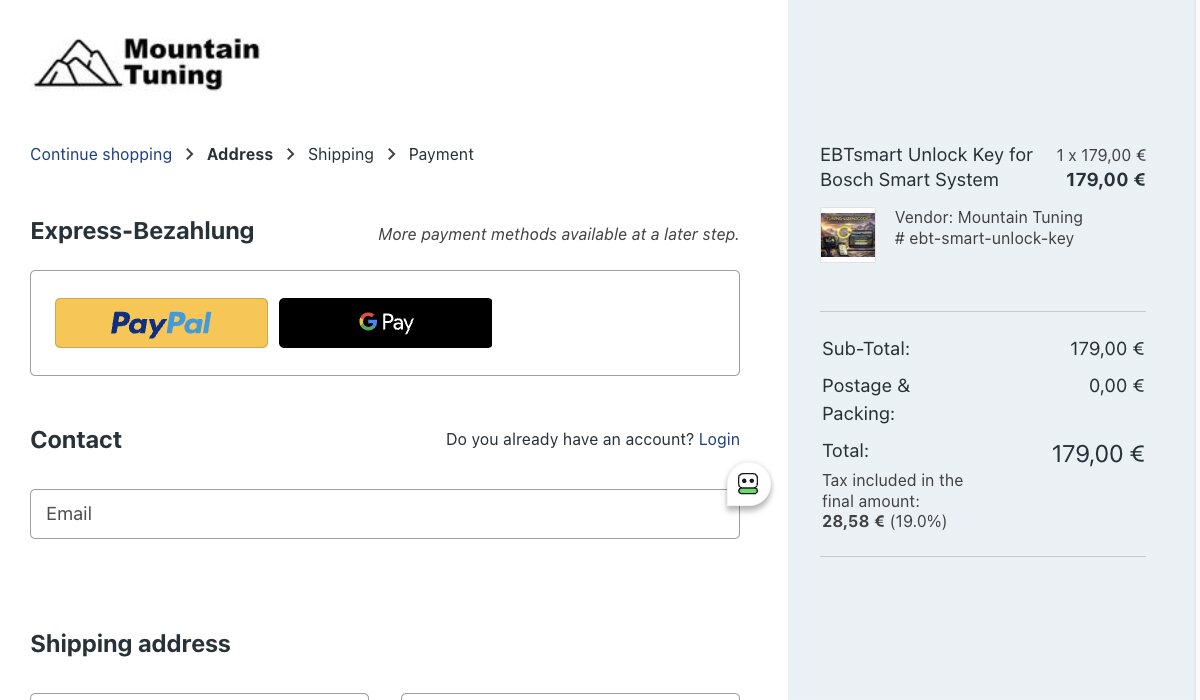
Step 2: Order the correct license online: EBT Unlock Key for many classic Bosch BES1 / BES2 systems or EBTsmart Unlock Key for Bosch Smart System BES3.

Step 3: Receive your invoice and your personal license code.
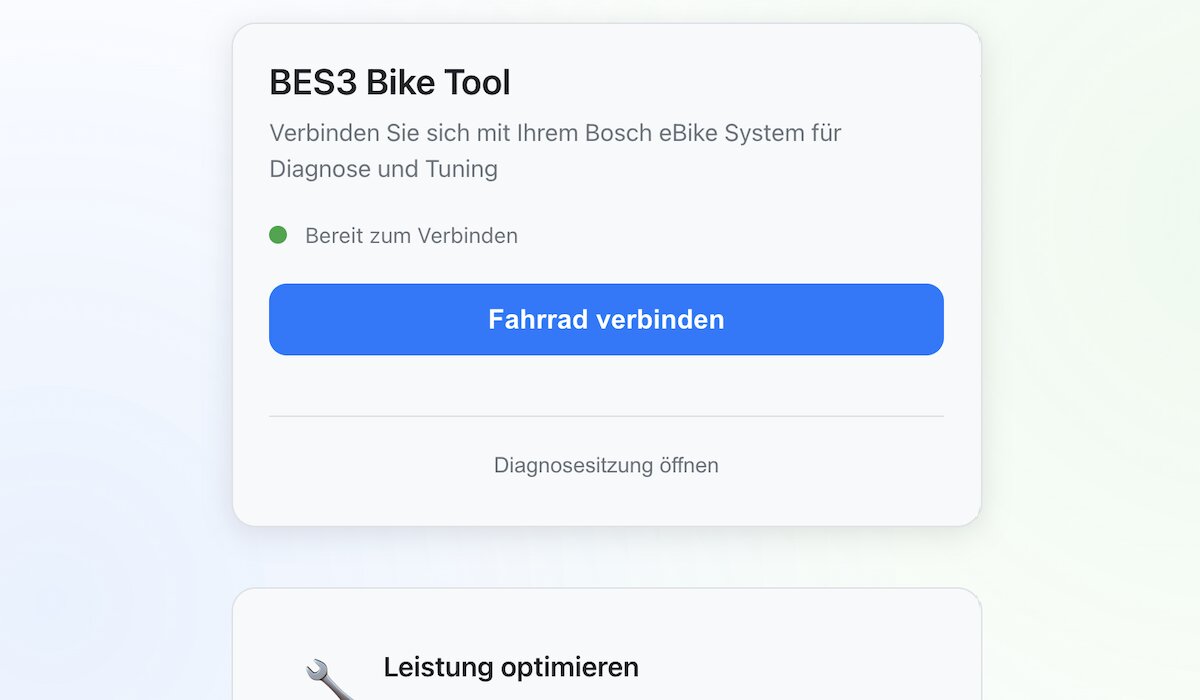
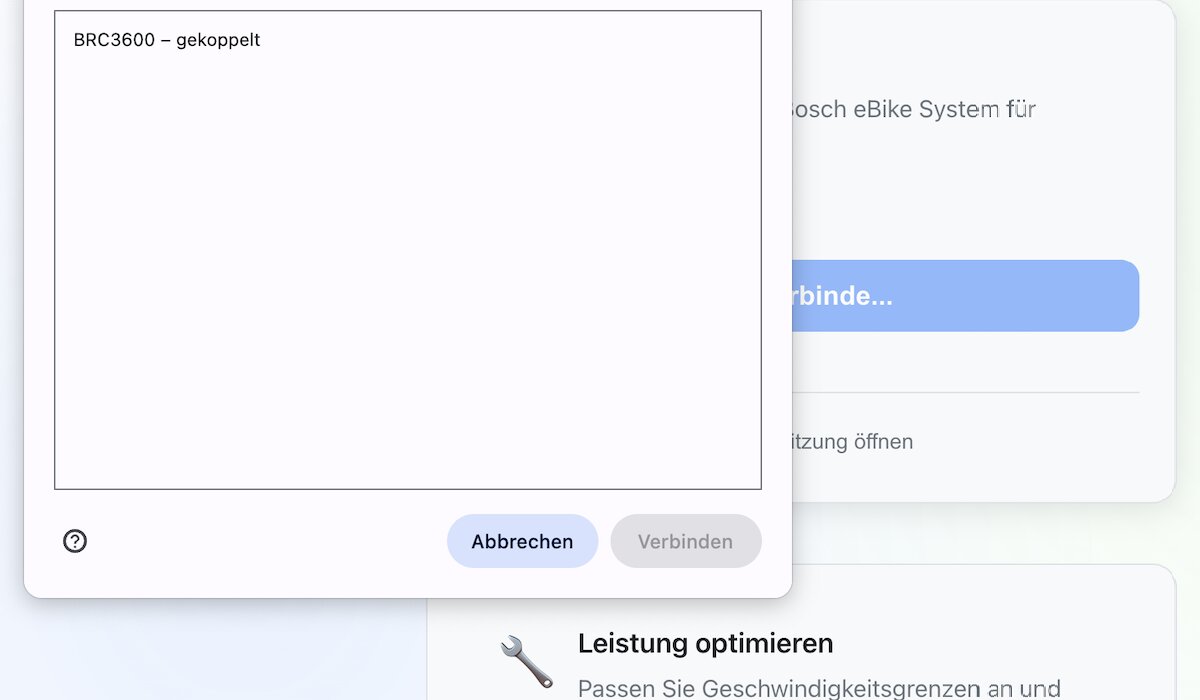
Step 5: Allow the browser to connect to your Bosch e-bike or display. EBT Unlock Key uses WebHID, EBTsmart Unlock Key uses webUSB.
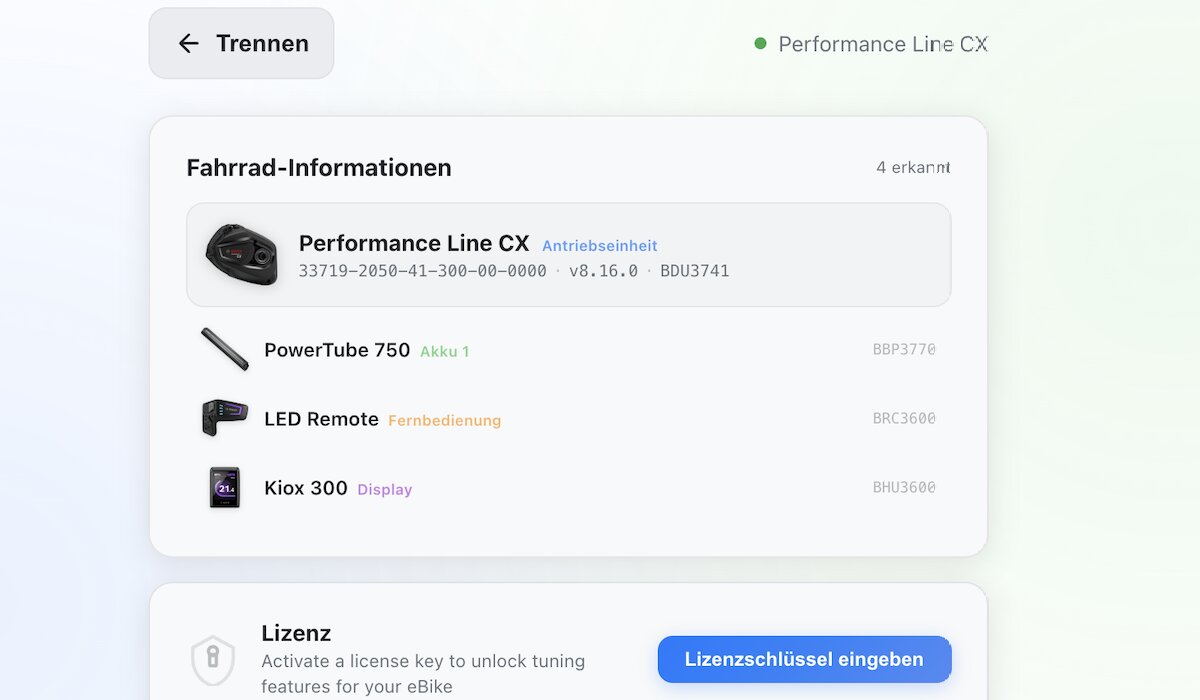
Step 6: The platform reads your e-bike configuration and shows the detected system.
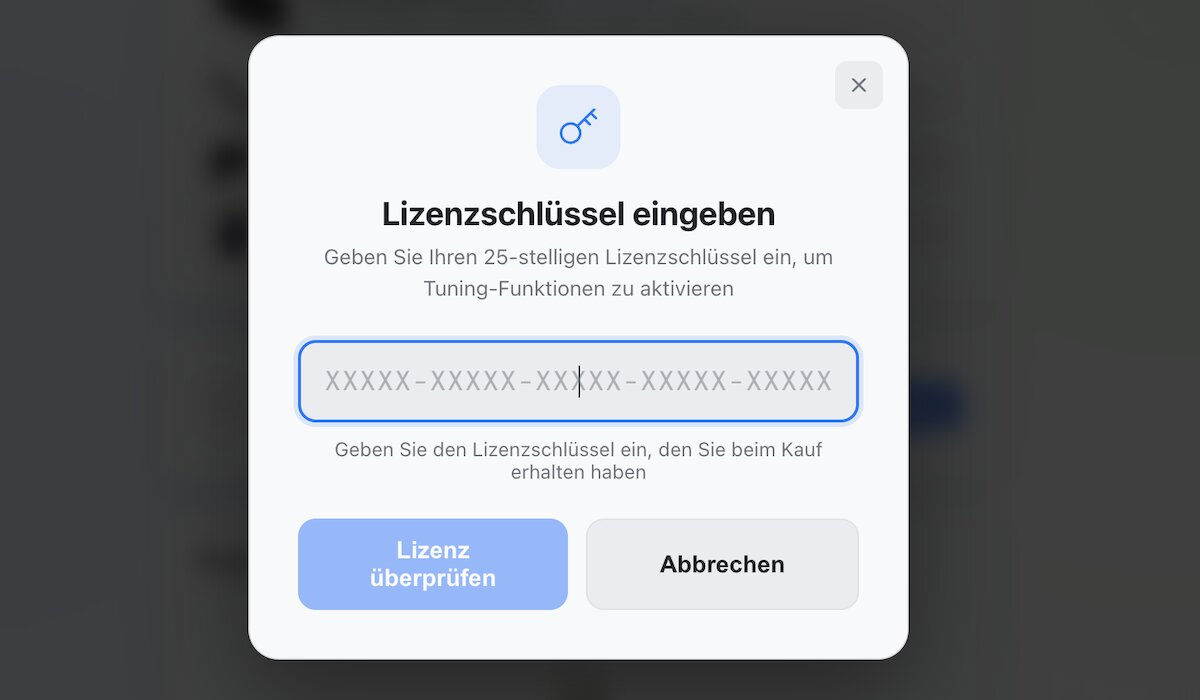
Step 7: Start entering your license code exactly as received.
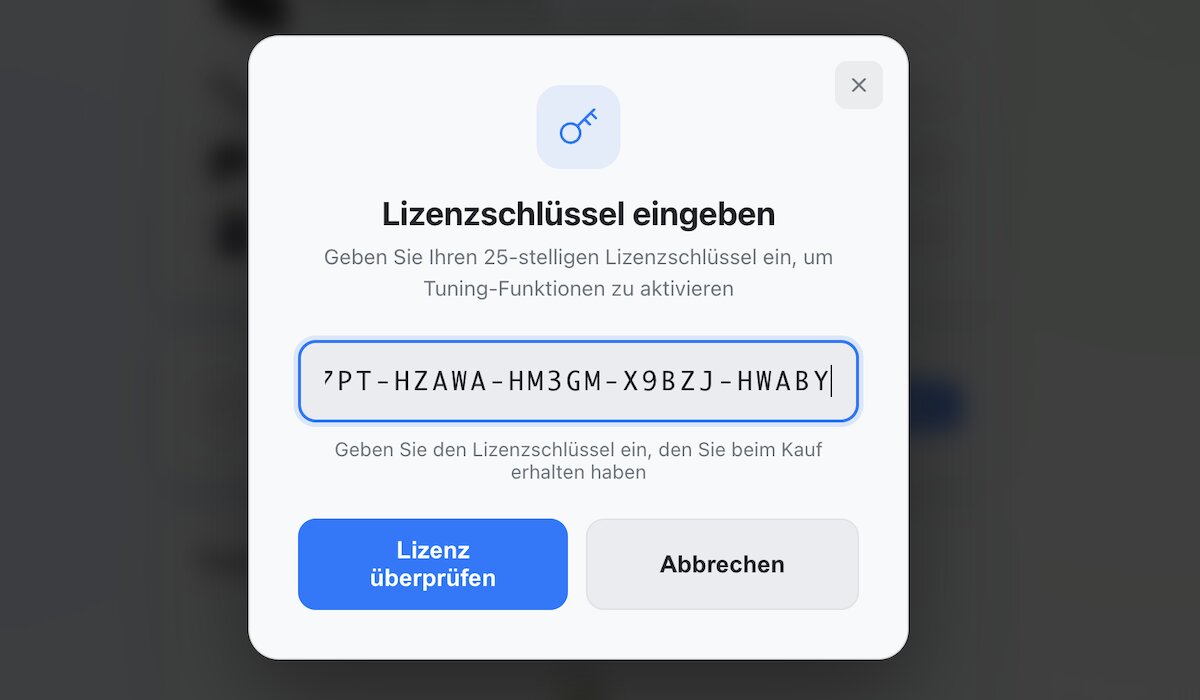
Step 8: Enter the full code exactly as provided.
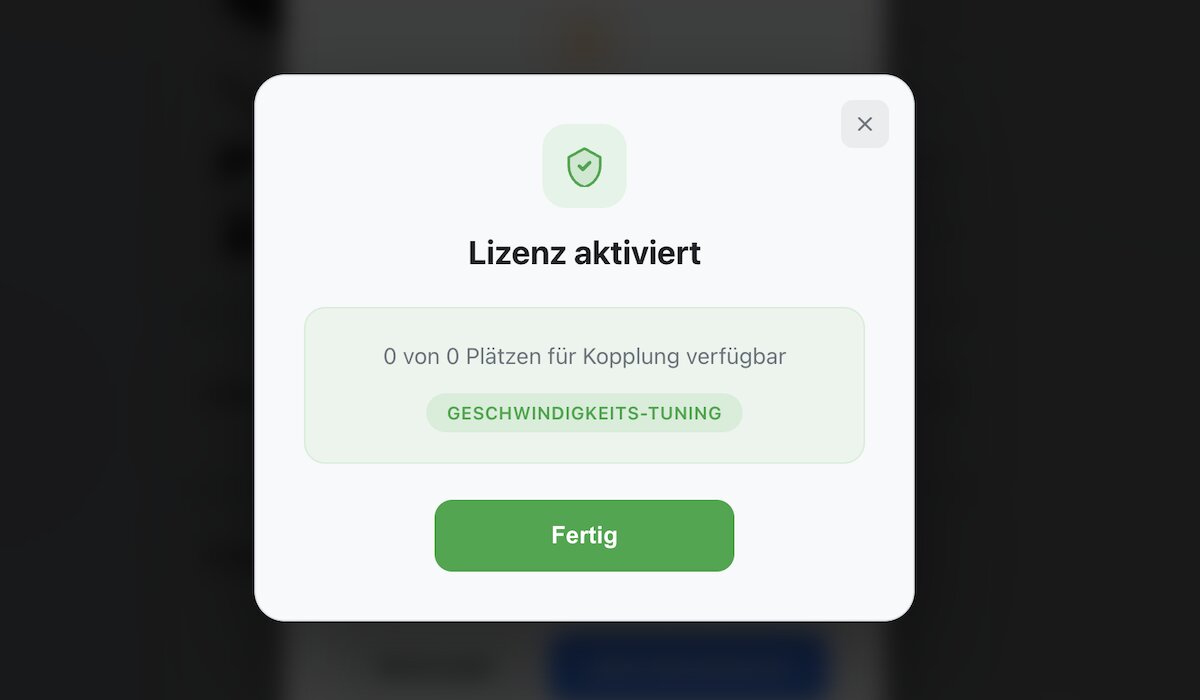
Step 9: The license is activated and linked to the connected e-bike.
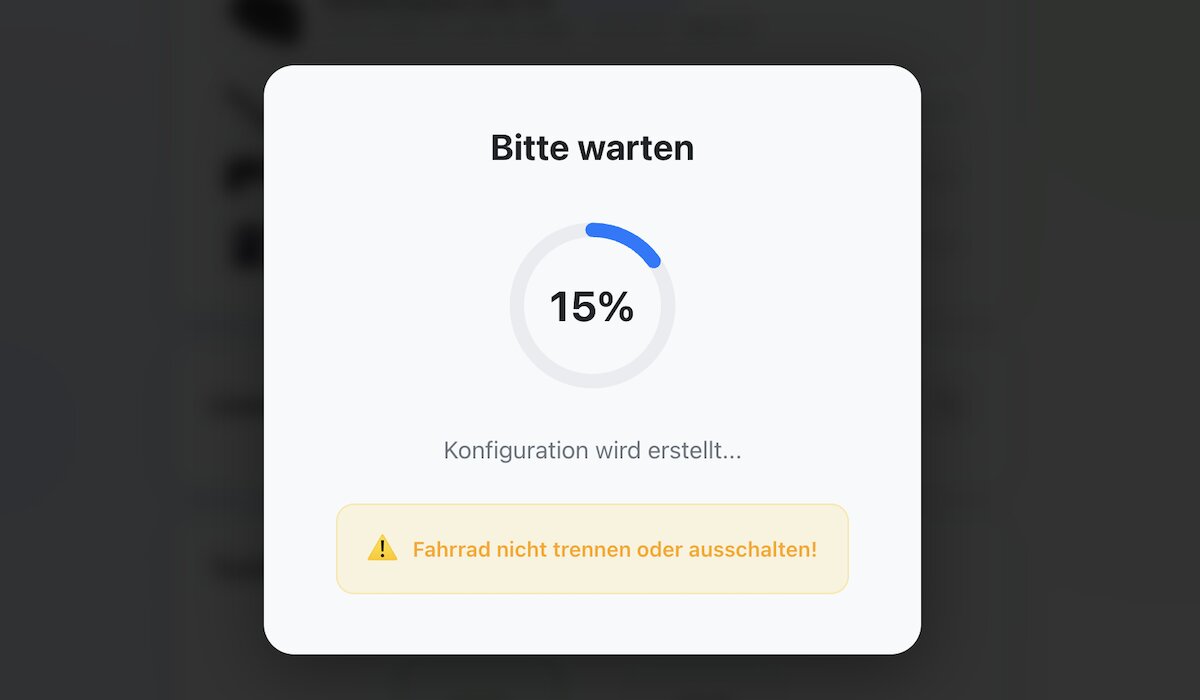
Step 10: Wait while the configuration is written to the system.
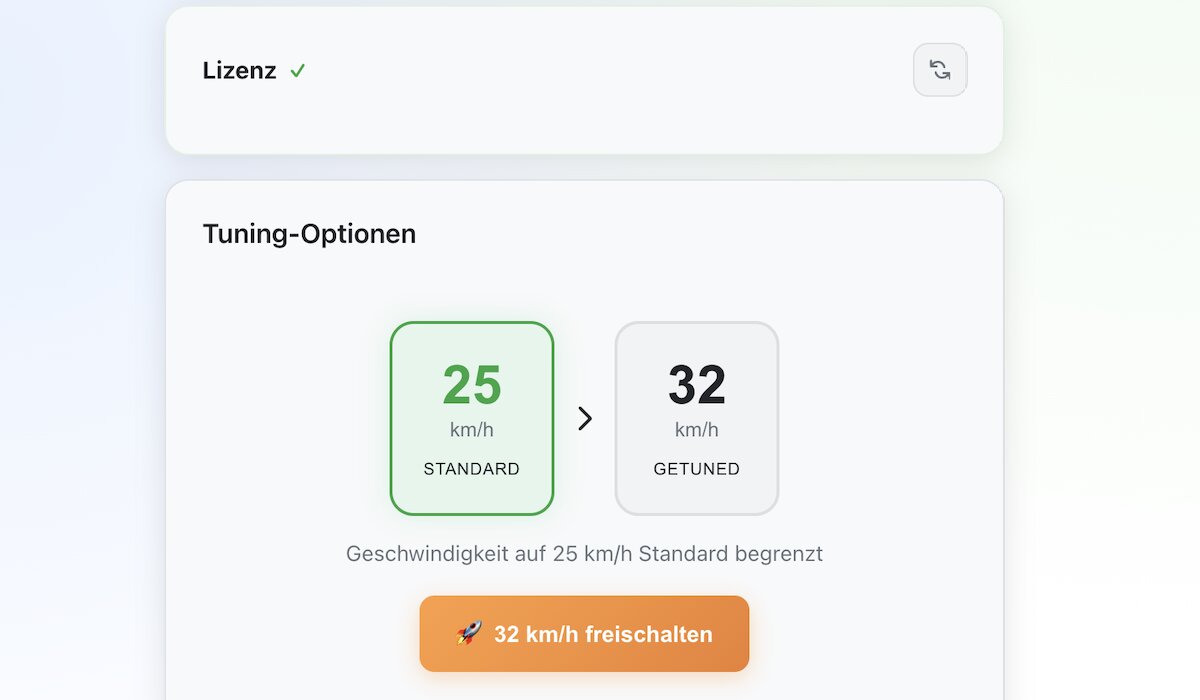
Step 11: Choose your tuning options. For Smart System bikes this can include the 32 km/h level and, if supported, the optional higher unlock level.
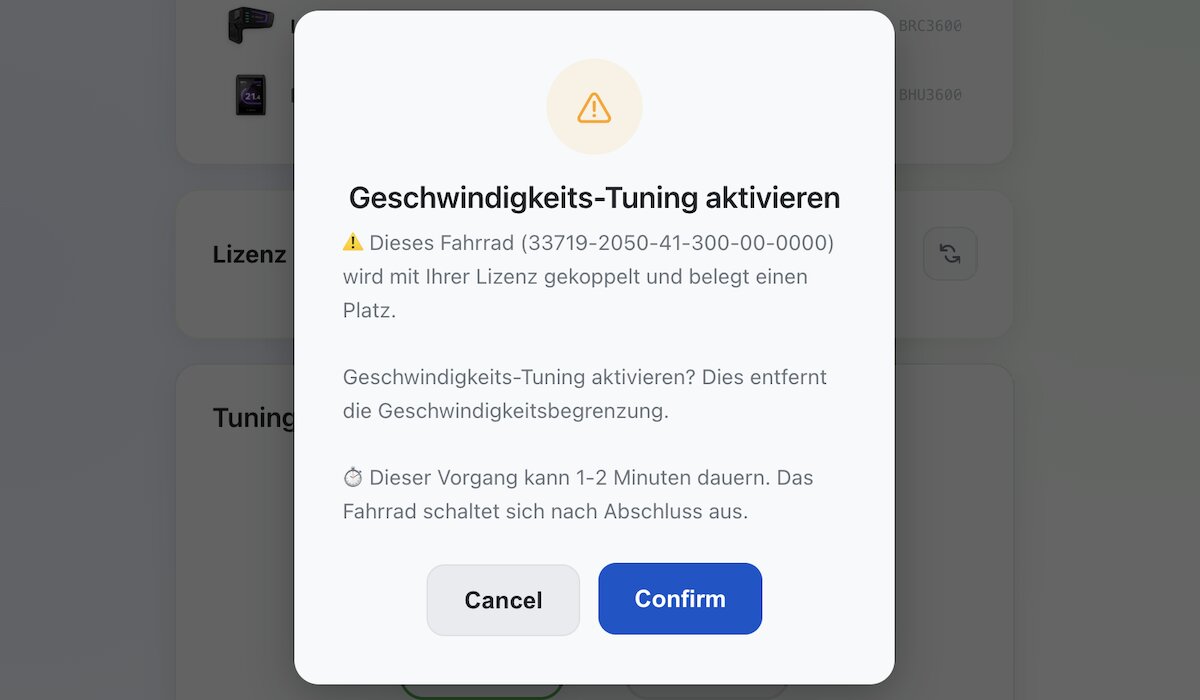
Step 12: Confirm the selected unlock option and activate the unlock.
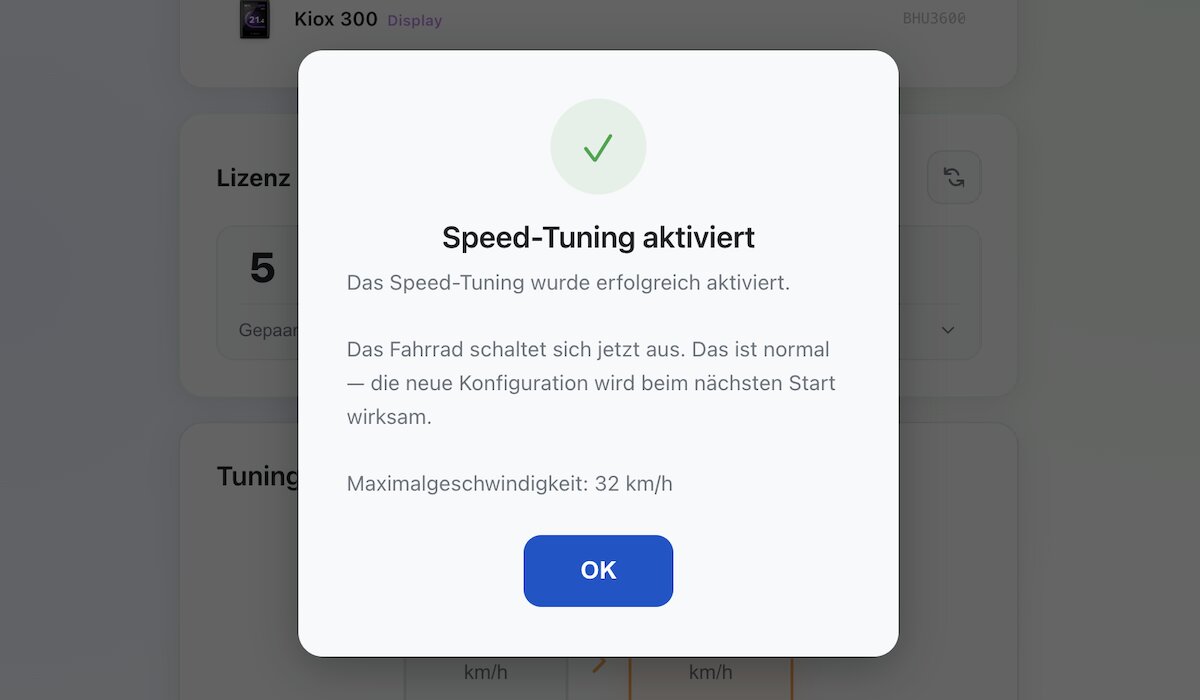
Step 13: The unlock is now active. You can return to the original state later through the same platform.
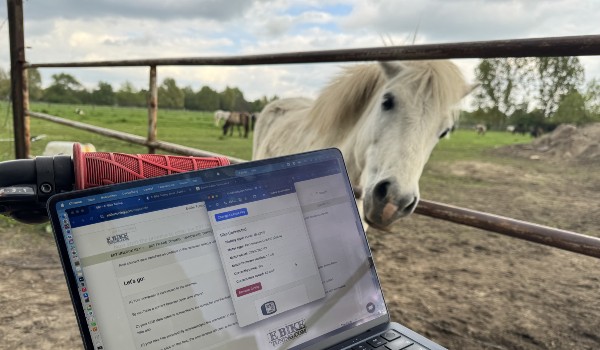
Step 14: Done – your browser-based unlock is ready to use.
Why Choose Browser-Based Unlock Keys?
- Fully browser-based – no software installation required
- Reversible later through the same platform
- No tools, no apps, no classic chip installation
- Clean solution for classic Bosch systems and Bosch Smart System
- Fast activation for supported Bosch systems
Compatible Bosch Systems
The browser-based unlock paths cover:
- EBT Unlock Key: many Bosch Gen1–Gen4 systems on BES1 / BES2
- EBTsmart Unlock Key: Bosch Smart System / BES3
Not compatible with the EBT Unlock Key:
Bosch Gen1 HMI
Bosch Smart System / BES3
e-bikes with ABS
Need more details? See the FAQ, the comparison page and the Bosch Unlock Key overview.
How Browser-Based Unlocking Affects Your Display
On many classic Bosch Gen2–Gen4 systems, the display shows roughly half the real speed after activation. This is normal system behavior and does not affect the unlocked riding support.
On supported Bosch Gen1 Intuvia systems, displayed values remain correct. On Bosch Smart System, display behavior depends on the selected Smart System mode.
Browser-based unlocking is designed for stable operation on supported Bosch systems.
Legal Notice
Unlocking your Bosch motor removes the factory speed restriction. After activation, your e-bike may no longer be classified as a standard pedelec in many countries.
Use may therefore be legally permitted only on private property or closed areas. The buyer or user assumes full responsibility for legal use.
