

Bosch Gen4
Unlock Your Bosch Gen4 Performance Line CX
Browser-Based Tuning for Bosch Gen4 BES2 – with a Separate Solution Path for Bosch Smart System BES3
The Bosch Gen4 Performance Line CX set new standards for eMTBs and performance-oriented e-bikes. If your Bosch Gen4 bike is based on the classic BES2 system, the relevant browser-based solution is the EBT Unlock Key.
If your Bosch Gen4 bike belongs to the newer Bosch Smart System / BES3, the correct browser-based path is the EBTsmart Unlock Key.
This page helps you identify your Bosch Gen4 system correctly and choose the right unlock path.
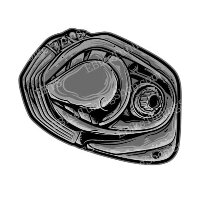
Is Your Bosch Gen4 Motor Compatible?
- Bosch Gen4 with BES2: usually compatible with the EBT Unlock Key, depending on exact configuration.
- Bosch Gen4 with BES3 / Smart System: not part of the EBT Unlock Key path, but covered by the EBTsmart Unlock Key path instead.
This is the most important distinction for Bosch Gen4 bikes. The motor name alone is not enough. You first need to identify whether your Gen4 bike belongs to BES2 or BES3.
How to Recognize Bosch Gen4 BES2 Motors
- Round Bosch charging port
- Classic displays such as Intuvia, Nyon, Kiox or Purion
- No LED Remote, no Intuvia 100, no Kiox 300
- No Bosch eBike Flow App logic typical of Smart System
If your Bosch Gen4 bike shows these classic features, it usually belongs to the BES2 platform and therefore follows the EBT Unlock Key path.
Important Notice for Bosch Smart System Riders
If your Bosch Gen4 bike has a square charging port, LED Remote, Kiox 300, Intuvia 100 or Bosch eBike Flow App integration, it usually belongs to the Bosch Smart System / BES3.
In that case, the classic EBT Unlock Key is not the correct path. The relevant browser-based solution is the EBTsmart Unlock Key.
Display Behavior After Unlocking
- On Bosch Gen4 BES2, displayed speed and distance values are typically shown at about half of the real values after activation.
- This is normal system behavior and does not change the motor support itself.
- On Bosch Smart System / BES3, display behavior depends on the chosen unlock mode and the specific Smart System solution.
For a broader overview, see the Bosch Unlock Key comparison.
Why Unlock Your Bosch Gen4 Motor?
- Remove the factory 25 km/h limit and unlock the supported system potential
- No classic chip installation or motor opening required
- Simple browser-based activation via USB connection
- Reversible via the corresponding browser platform
Frequently Asked Questions
Is my Bosch Gen4 motor supported?
Yes, if your Bosch Gen4 bike belongs to the classic BES2 platform with a classic charging port and classic display family.
If your bike uses LED Remote, Kiox 300, Intuvia 100 or Bosch eBike Flow App logic, it is usually BES3 / Smart System. In that case you should check the EBTsmart Unlock Key instead of the EBT Unlock Key.
Will my speedometer show correct values?
On Bosch Gen4 BES2, displayed values are usually shown at about half the real values after activation. This is normal system behavior and does not affect the unlock itself.
Can I reset to the original 25 km/h limit?
Yes. The browser-based solution is designed to be reversible, and you can return to the original state through the corresponding platform.
Is unlocking complicated?
No. The basic process is straightforward: connect the bike via USB, open the browser platform, enter the license information and activate the matching solution for your Bosch system.
EBT Unlock Key vs Hardware Tuning for Bosch Gen4 BES2
| Feature | Hardware Tuning | EBT Unlock Key |
|---|---|---|
| Installation | Physical chip installation required | No installation – browser-based unlock |
| Hardware intervention | Mechanical or electrical modification may be required | No motor opening required |
| Activation | Depends on chip model | Via browser and USB connection |
| Display behavior | Depends on chip model | Typical half-value display on Gen4 BES2 |
| Reset option | Depends on hardware solution | Reversible via browser platform |
Compare both digital Bosch solutions here: EBT Unlock Key vs EBTsmart Unlock Key.
