

Bosch Gen4 (BES2) vs Bosch Gen4 (BES3)
Bosch Gen4 (BES2) vs Bosch Gen4 (BES3) – Key Differences Explained
Bosch Gen4 is one of the most common sources of confusion in Bosch e-bike tuning. Not every Gen4 bike belongs to the same Bosch platform. Some Gen4 bikes still use the classic BES2 architecture, while others already belong to the Bosch Smart System / BES3.
This distinction matters because the browser-based tuning path is different: BES2 Gen4 belongs to the classic EBT Unlock Key path, while BES3 / Smart System Gen4 belongs to the separate EBTsmart Unlock Key path.
Introduction to Bosch Gen4
When Bosch introduced the Gen4 generation, many riders started referring to it simply as “Bosch Gen4”. But in practice, this is not precise enough for compatibility decisions.
The key question is not only whether your bike is called “Gen4”, but whether it is based on the classic BES2 system or on the newer BES3 / Smart System. These two Bosch platforms differ in system logic, supported displays, browser connection method and unlock path.
That is why a Gen4 bike should never be classified by motor name alone. System identification comes first.
Bosch Gen4 BES2 vs BES3 – Full Comparison
| Feature | Bosch Gen4 (BES2) | Bosch Gen4 (BES3 / Smart System) |
|---|---|---|
| System logic | Classic Bosch platform | Bosch Smart System platform |
| Typical charging port | Round charging port | Square charging port |
| Typical display family | Classic Bosch displays such as Intuvia, Purion, Kiox, older Nyon | Smart System display family such as Kiox 300, Intuvia 100, LED Remote |
| Browser-based solution path | EBT Unlock Key | EBTsmart Unlock Key |
| Browser interface | WebHID | webUSB |
| Speed sensor logic | Classic Bosch sensor logic | Smart System logic, often also relevant with rim magnet |
| System matching priorities | Classic Bosch compatibility logic | BDU first, then rim magnet, then ABS, then e-shift |
| Main tuning path | Classic Gen4 browser-based unlock path | Smart System browser-based unlock path |
How to Identify Your System: BES2 or BES3
The easiest practical first check is the charging port:
- Round charging port = usually BES2
- Square charging port = usually BES3 / Bosch Smart System
This rule of thumb is very useful, especially for Bosch Gen4 bikes that may look similar from the outside. If your Gen4 bike belongs to BES2, it follows the classic EBT Unlock Key path. If it belongs to BES3, it follows the EBTsmart Unlock Key path instead.
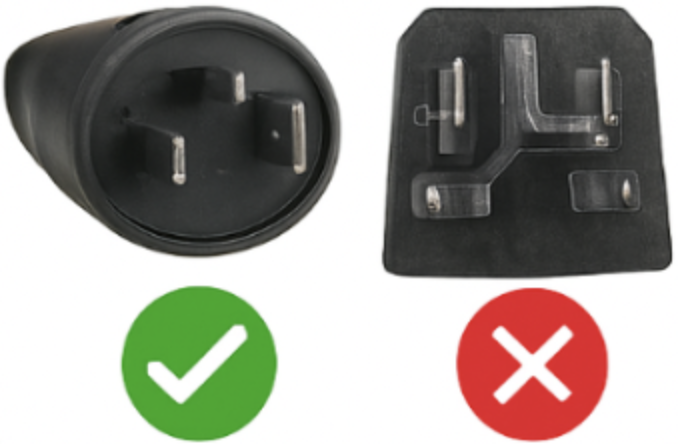
Important: With Bosch Smart System, identifying only “Gen4” is not enough. For a correct solution match, Bosch Smart System bikes should additionally be checked by BDU, rim magnet, ABS and e-shift.
Classic Gen4 vs Smart System: Why the Difference Matters
Bosch Gen4 BES2 and Bosch Gen4 BES3 are not just two names for the same bike generation. They represent two different Bosch system architectures.
On BES2 Gen4, the browser-based path is the classic EBT Unlock Key. On BES3 / Smart System Gen4, the browser-based path is the EBTsmart Unlock Key. For certain Smart System bikes with rim magnet, an additional special path can apply via the EBTsmart Unlock Key Switch.
This is why “Gen4” alone is not enough when choosing a Bosch tuning solution. The decisive factor is the actual Bosch platform and its system details.
Why the EBT Unlock Key Is Relevant for Gen4 BES2
For classic Bosch Gen4 bikes on BES2, the browser-based solution path is the EBT Unlock Key. It is intended for many Bosch Gen1–Gen4 bikes on BES1 / BES2, without classic chip installation, without opening the motor and without extra hardware on the bike.
- Browser-based access via WebHID
- No classic chip installation
- No motor opening required
- System-bound license model
- Designed for many classic Bosch systems from Gen1 to Gen4
If your Gen4 bike is classic BES2, this is the relevant browser-based Bosch path.
Why BES3 / Smart System Needs a Different Solution Path
For Bosch Gen4 bikes that belong to the Smart System / BES3, the relevant browser-based main solution is the EBTsmart Unlock Key. According to the current Bosch shop logic, this applies to compatible Smart System bikes with and without rim magnet.
On Smart System, system matching starts with BDU, then rim magnet, then ABS, then e-shift. Only after that should display, battery and remote be considered.
For certain Smart System e-bikes with rim magnet, a special path can also apply via the EBTsmart Unlock Key Switch. This is not a general requirement for all Smart System bikes, but a separate special solution for certain configurations.
In short: BES3 is not “no browser solution” – it is a different browser-based Bosch solution path.
Summary Table: BES2 vs BES3
| Bosch Gen4 (BES2) | Bosch Gen4 (BES3 / Smart System) | |
|---|---|---|
| Charging port rule of thumb | Round | Square |
| Browser-based main path | EBT Unlock Key | EBTsmart Unlock Key |
| Browser interface | WebHID | webUSB |
| System matching logic | Classic Bosch logic | BDU → rim magnet → ABS → e-shift |
| Smart System path needed? | No | Yes |
Conclusion: If your Bosch Gen4 e-bike is based on the classic BES2 platform, the relevant browser-based path is the EBT Unlock Key. If your Bosch Gen4 bike belongs to the Smart System / BES3, the correct browser-based path is the EBTsmart Unlock Key, with additional Smart System checks such as BDU, rim magnet and ABS where relevant.
