

Bosch Gen1
Unlock Your Bosch Gen1 Classic+ Motor
Browser-Based Tuning for Bosch Gen1 BES1 – with a Separate Solution Path for Bosch Smart System BES3
The Bosch Gen1 Classic+ helped launch the modern e-bike era. Durable, reliable and still appreciated today – but limited by the factory 25 km/h speed cap.
For supported Bosch Gen1 bikes, the browser-based solution path is the EBT Unlock Key. This classic Bosch path is intended for many compatible Gen1–Gen4 systems on BES1 / BES2, without classic chip installation, without opening the motor and without extra hardware on the bike.
Bosch Gen1 has one crucial limitation: the EBT Unlock Key supports Gen1 only with Intuvia. Gen1 HMI is not supported.
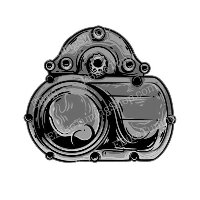
Key Features of the Bosch Gen1 Classic+ System
- First Bosch mid-drive generation
- BES1 system architecture
- Often found on city, trekking and touring e-bikes
- Compatible display requirement: Intuvia only
- Not supported: HMI
Browser-based unlocking can extend the usable freedom of supported classic Bosch bikes while keeping the original bike hardware untouched.
Important Display Compatibility Notice
- ✔ Intuvia display: supported on Bosch Gen1 for the EBT Unlock Key path
- ✖ HMI display: not supported on Bosch Gen1
Before choosing a solution for Bosch Gen1, verify the original display type first. For Gen1, the display is decisive.
Important Notice for Bosch Smart System Riders
This page is about Bosch Gen1 / BES1. If your bike belongs to the Bosch Smart System / BES3, the EBT Unlock Key is not the correct path.
For Bosch Smart System bikes, the browser-based main solution is the EBTsmart Unlock Key. On Smart System, matching should follow BDU first, then rim magnet, then ABS, then e-shift.
Why Unlock Your Bosch Gen1 Classic+
- Remove the factory 25 km/h speed restriction
- Keep the bike free from classic chip installation or motor opening
- Unlock and re-lock later through the browser-based workflow
- Preserve the original bike hardware
For supported Bosch Gen1 bikes, this is the clean browser-based path to more riding freedom.
How the EBT Unlock Key Works
- 100% browser-based path: no classic app installation, no hardware modification
- Connect your compatible Intuvia setup to a Windows computer, Apple computer or Android smartphone via a genuine USB data cable
- Use a supported browser and activate the unlock path through the browser-based platform
- Reversible later through the same platform logic
Supported devices include Windows computers, Apple computers and Android smartphones. iPhone and iPad are not supported. The classic EBT Unlock Key path uses WebHID.
Frequently Asked Questions
Is my Bosch Gen1 motor supported?
Bosch Gen1 is supported only if it uses Intuvia. Gen1 HMI is not supported.
Will the speedometer display correctly?
On supported Bosch Gen1 systems, displayed values remain correct after activation. This is one of the key differences compared with many classic Gen2–Gen4 systems.
Can I re-lock the motor if needed?
Yes. The browser-based solution is designed around reversibility, and the system can later be returned via the same platform logic.
Is the unlock process difficult?
No. The basic process is straightforward: connect the supported Bosch display via USB, open the supported browser and activate the browser-based path with your license information.
EBT Unlock Key vs Hardware Tuning
| Feature | Hardware Tuning | EBT Unlock Key |
|---|---|---|
| Installation | Physical intervention required | Purely browser-based path |
| Hardware intervention | Bike modification may be required | No motor opening required |
| System visibility | Depends on hardware solution | Reversible browser-based path |
| Browser connection | Not browser-based | WebHID browser path |
| Display behavior | Depends on hardware solution | Correct values on supported Gen1 Intuvia setups |
