


SpeedBox Bosch
TYPE: Bosch Gen2, Bosch Gen3, Bosch Gen4
VENDOR: PearTune
PearTune MSO 3.0 for Bosch
The latest and so far best version of one of the most popular tuning modules for Bosch e-bikes ever. Compared to the previous models, the PearTune MSO 3.0 has been optimised in many ways and is now even compatible with the new Bosch 2020 drive systems. With this tuning tool, you can completely remove the 25 km/h speed limit and finally experience the full power of your Bosch drive. And all this with correct speed indication on the display! Of course, the PearTune MSO 3.0 has all the advantages of the previous modules:
The speed limit is completely removed ("MSO" stands for "Max Speed Off").
Correct values on the display (real display of speed and other values such as distance, average and maximum speed etc.).
Tuning can be switched on or off at any time using the WALK button. When tuning is switched on, the display briefly shows 9.9 km/h - this confirms that tuning has been activated. When tuning is switched off, the display briefly shows 2.5 km/h as confirmation. Tip: Alternatively, the tuning can also be activated via the key combination + - + -.
For Bosch e-bikes without the WALK button, there is also the optional "Still On" variant, in which the tuning is always active after switching on.
Very easy installation: The PearTune module simply needs to be connected between the motor and the display and between the motor and the magnetic speed sensor.
No separate battery is needed for the module (power is supplied via the display connector).
PearTune MSO 3.0 for Bosch - Improvements over previous models:
New innovative processor for even more power
New, improved software
Original connectors for easier installation ("Plug & Play")
New hardware design
Extremely small and light: The module is twice as small as before and is therefore even easier to install. The weight is just 12 g.
Now also compatible with the new Bosch 2020 motors & displays
Backwards compatible with Bosch e-bike motors from 2014 to 2020 (Bosch Gen2, Gen3 and Gen4)
PearTune MSO 3.0 for Bosch - Compatibility
The tuning module is compatible with all Bosch drive systems and displays from 2014 up to and including 2020:
Drives: Bosch Active Line / Performance Line / Performance CX Line / Active Line Plus.
Displays: Intuvia, Purion, Nyon, Kiox
The PearTune MSO 3.0 has also been successfully tested on the Bosch 2020 drives & displays. No error codes!
NOT compatible with Bosch Smart System E-Bikes!
Please note:
We recommend the high-quality PearTune Exclusive Edition to particularly demanding customers. Delivered in elegant packaging, the tool scores with optimised components for the best possible tuning results. Of course, easy to install and with correct speed display. Available with or without a practical crank puller.
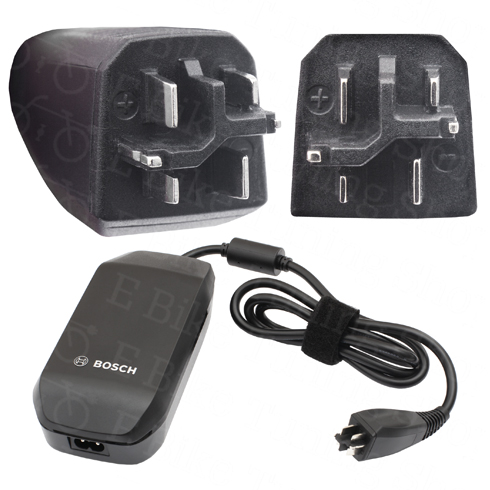
Tip: Bosch Smart System e-bikes (BES3) can be easily recognised by the charging cable plug, among other things.
SQUARE plug = Bosch Smart System BES3 (Gen4) + Bosch Gen5:
ROUND plug = Bosch Gen2, Gen3 & Gen4:
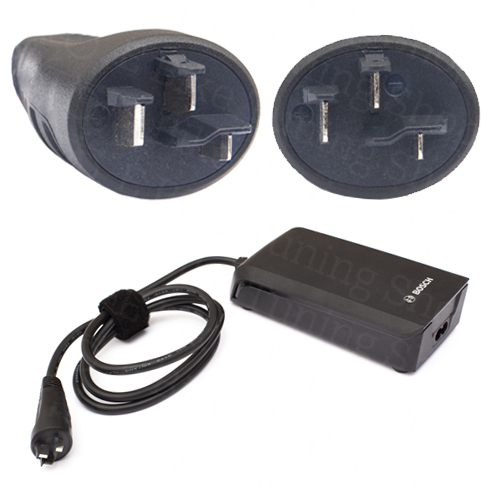
If your Bosch e-bike charging cable has a round plug (as shown above), you have selected the correct tuning module (provided the bike does not have ABS). If your Bosch e-bike does not have either connector, you either do NOT have a Bosch e-bike or an e-bike with the old Gen1 drive (Classic Line).
Motor Compatibility: Find the Right Tuning for Your Bike
EBT Unlock Key Compatibility Table
| Motor Generation | Display | Connector | Unlockable via EBT | Speed Display Correct? |
|---|---|---|---|---|
| Bosch Gen1 (HMI) | HMI | BES1 | No | – |
| Bosch Gen1 (Intuvia) | Intuvia | BES1 | Yes | Yes |
| Bosch Gen2 Active / Performance | Intuvia / Purion / Nyon | BES2 | Yes | No |
| Bosch Gen3 Active Line Plus | Intuvia / Purion / Nyon | BES2 | Yes | No |
| Bosch Gen4 Performance CX (BES2) | Intuvia / Purion / Kiox / Nyon | BES2 | Yes | No |
| Bosch Gen4 & Gen5 (Smart System BES3) | Kiox 300 / LED Remote / Intuvia 100 | BES3 | No | – |
Identify Gen4 BES2 vs BES3
Unsure whether your Bosch Gen4 motor is compatible? Check your charging port:
- Round Charging Port: BES2 – Compatible
- Square Charging Port: BES3 – Not compatible (Smart System)
.png?1744405312)
Bosch Software Tuning Instructions
EBT Unlock Key and EBTsmart Unlock Key
Unlock your compatible Bosch e-bike directly in your browser – without chip installation, without an app, and without motor disassembly.
The EBT Unlock Key is the browser-based license solution for many compatible Bosch Gen1, Gen2, Gen3 and Gen4 systems on BES1 / BES2. The EBTsmart Unlock Key is the dedicated browser-based license solution for compatible Bosch Smart System / BES3 e-bikes – including many configurations with or without rim magnet.
All you need is your license code, Google Chrome or Microsoft Edge, a stable internet connection and a suitable USB data cable.
Important for browser connection: The EBT Unlock Key requires WebHID. The EBTsmart Unlock Key uses webUSB. Supported devices are Windows computers, Apple computers and Android smartphones. iPhone and iPad are not supported.
Important firmware note for the EBTsmart Unlock Key: Currently tested and approved up to version 19.24.0 for motor / drive unit and up to firmware generation 19 for peripherals. This means the EBTsmart Unlock Key is also compatible with current Bosch Smart System software states of the 19 generation.
Important license note: The respective license code is system-bound and not freely transferable. After activation, the license is linked to the specific vehicle or system.
Before You Start
- Supported devices: Windows PC, Apple computer or Android smartphone
- Not supported: iPhone and iPad
- Supported browsers: Google Chrome or Microsoft Edge
- Required cable: a real USB data cable, not a charge-only cable
- Connection: stable internet connection
- Battery level: the e-bike battery and the device used should be sufficiently charged
- Browser interface for EBT Unlock Key: WebHID
- Browser interface for EBTsmart Unlock Key: webUSB
- Firmware approval for EBTsmart Unlock Key: motor / drive unit up to 19.24.0, peripherals up to firmware generation 19
Important: Activation happens directly in the browser via USB. What matters is the correct Bosch system, a supported device, the right browser interface, a real data cable and, for Smart System bikes, an approved firmware version.
Compatibility Overview
- The EBT Unlock Key is intended for many compatible Bosch Gen1–Gen4 e-bikes on BES1 / BES2.
- The EBT Unlock Key is not compatible with Bosch Gen1 HMI, Bosch Smart System / BES3 and e-bikes with ABS.
- The EBTsmart Unlock Key is intended for Bosch Smart System / BES3, including many configurations with or without rim magnet.
- For Smart System e-bikes with ABS, the EBTsmart Unlock Key supports only up to 32 km/h. The optional 45 km/h level is not available with ABS.
- For the EBTsmart Unlock Key, currently approved are motor / drive unit up to 19.24.0 and peripherals up to firmware generation 19.
Important Display Behavior Notice
- EBT Unlock Key / Gen1: On supported Gen1 systems, displayed values remain correct.
- EBT Unlock Key / Gen2–Gen4 BES2: During riding, displayed values are typically shown at half the real values. This is normal system behavior.
- EBTsmart Unlock Key / Smart System: In the 32 km/h level, speed, distance and odometer remain correct. In the optional 45 km/h level, display values are no longer correct from about 22 km/h.
Video Instructions
Want to watch the activation process first? Choose between the English and German video tutorial for the browser-based unlock process:
English Video Tutorial
German Video Tutorial
Note: Depending on the Bosch system, display, controller and unlock type (EBT or EBTsmart), individual screens or options may vary slightly.
Step by Step: How Browser-Based Activation Works

Step 1: Turn on your e-bike and connect it to your Windows PC, Apple computer or Android device using a real USB data cable.
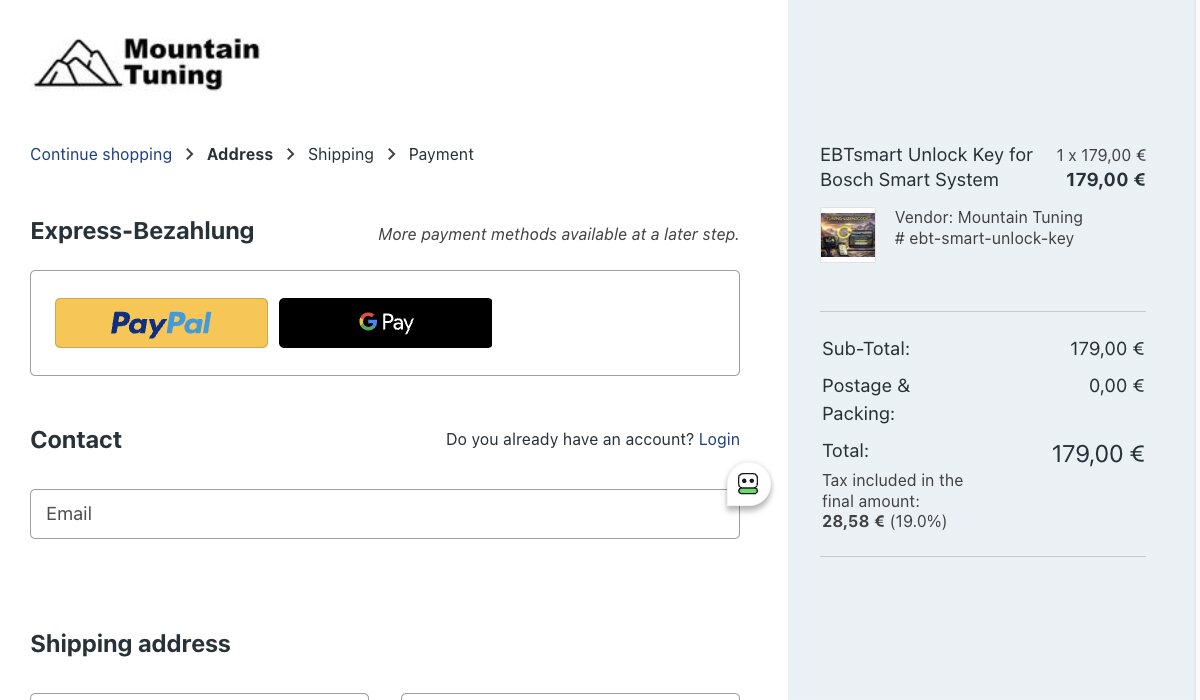
Step 2: Order the matching license online – either the EBT Unlock Key or the EBTsmart Unlock Key, depending on your Bosch system.

Step 3: You will receive your invoice and your personal 25-digit license code by email.
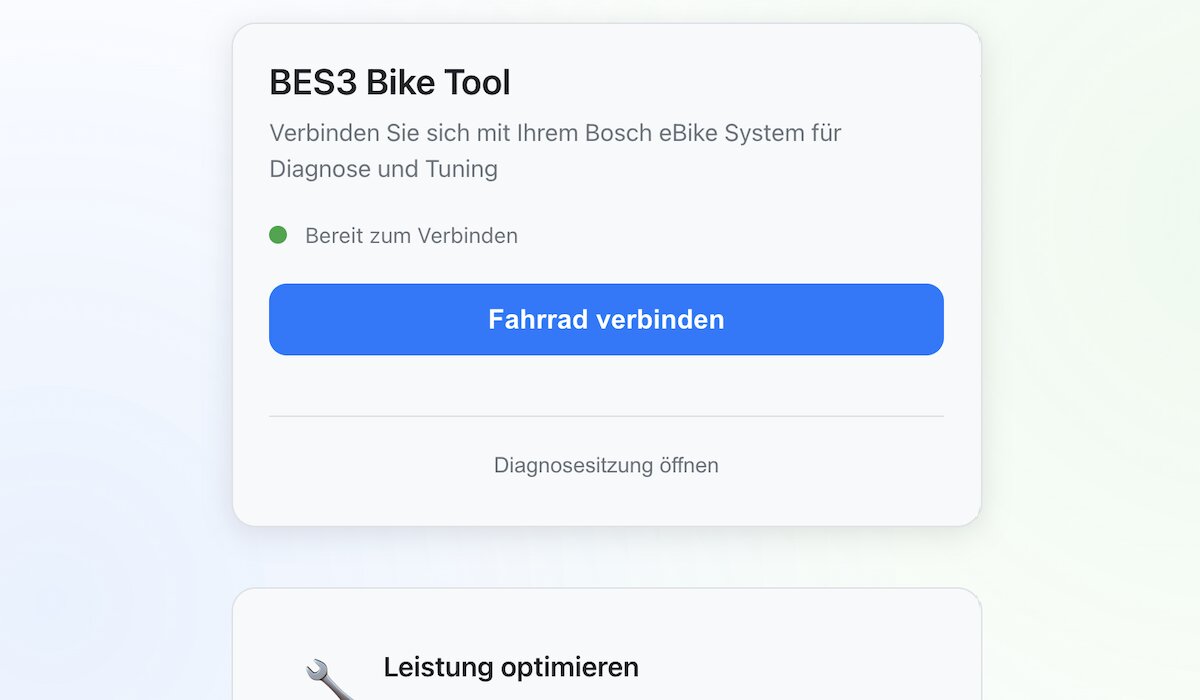
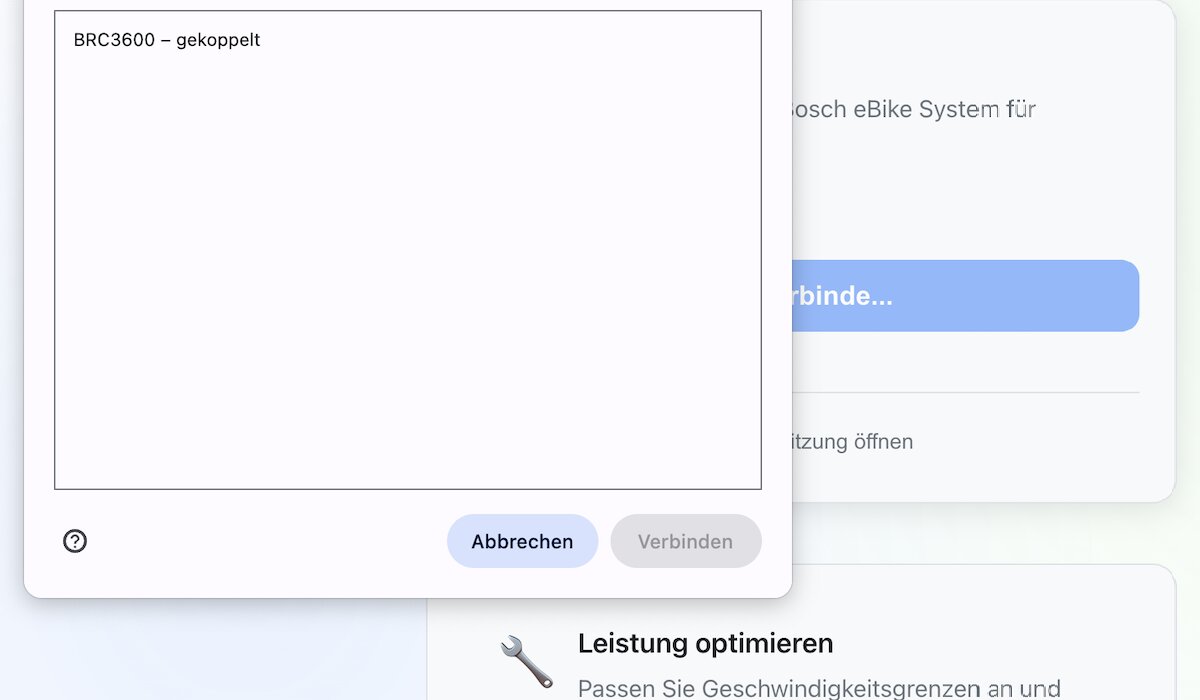
Step 5: Allow the browser to connect to your Bosch e-bike or display. The EBT Unlock Key needs WebHID, and the EBTsmart Unlock Key uses webUSB.
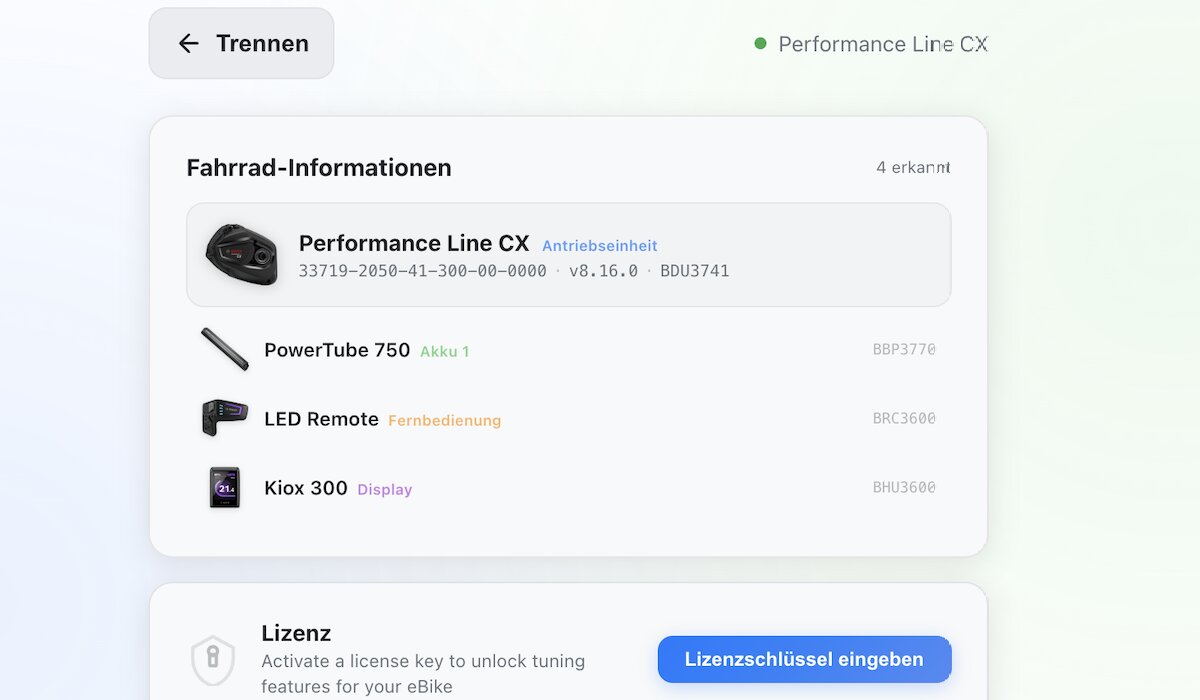
Step 6: The platform reads your e-bike configuration and shows the detected system.
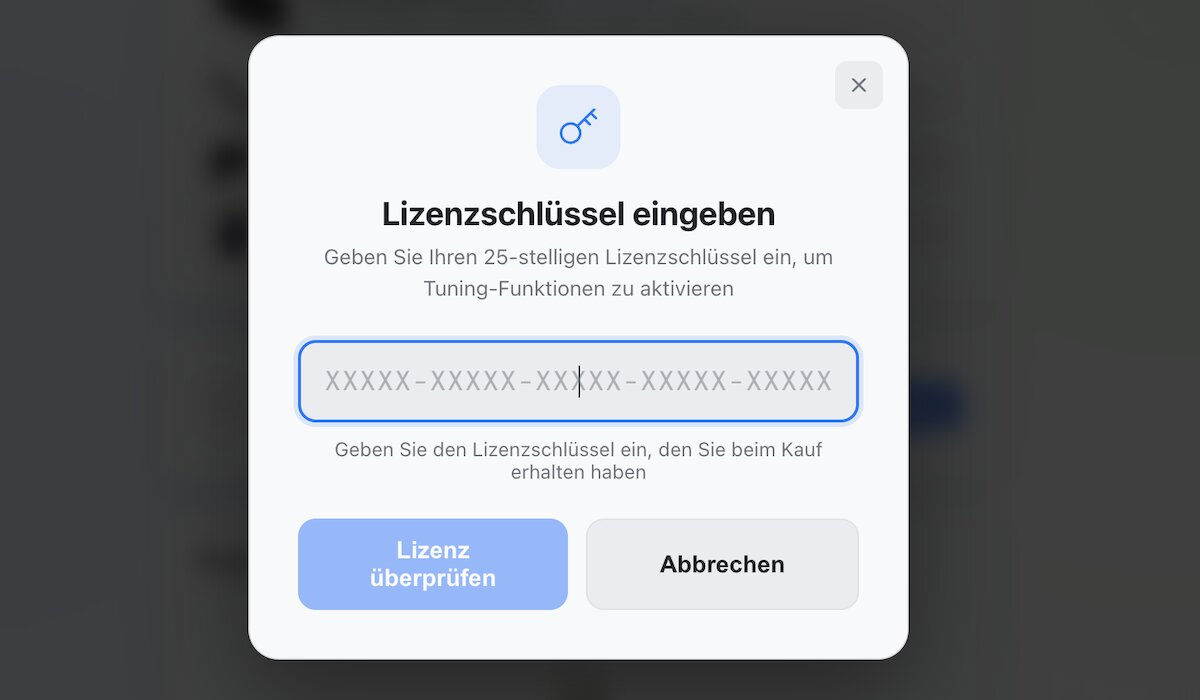
Step 7: Start entering your license code exactly as received.
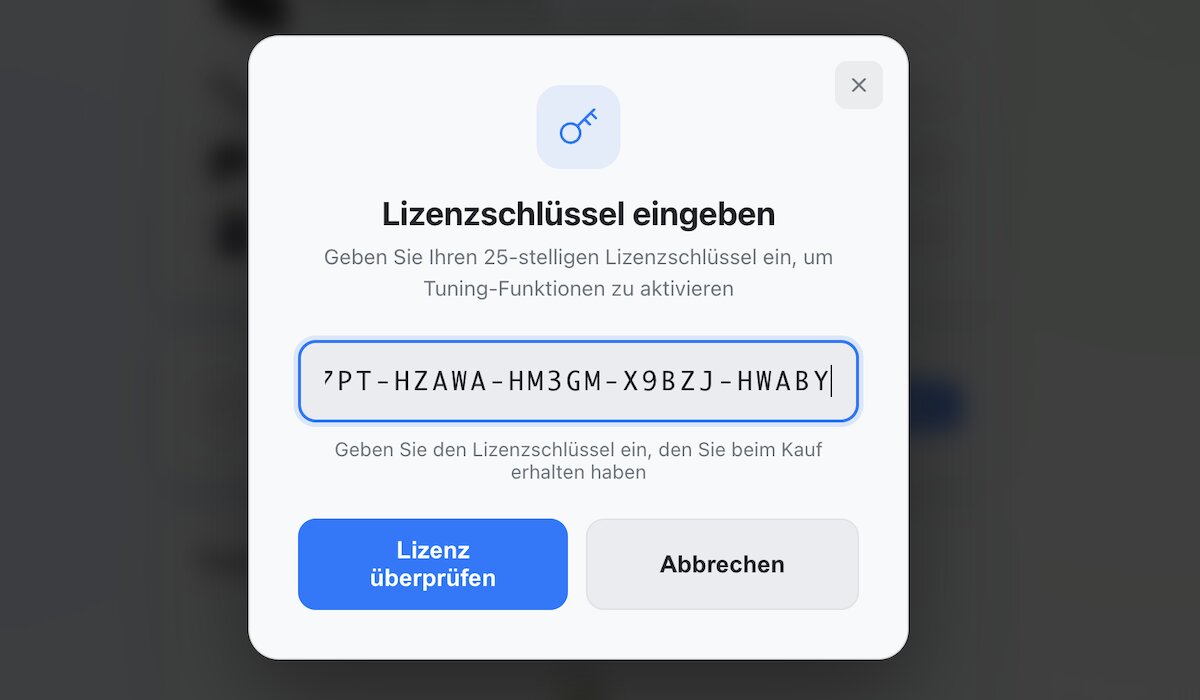
Step 8: Enter the full code with hyphens and without spaces.
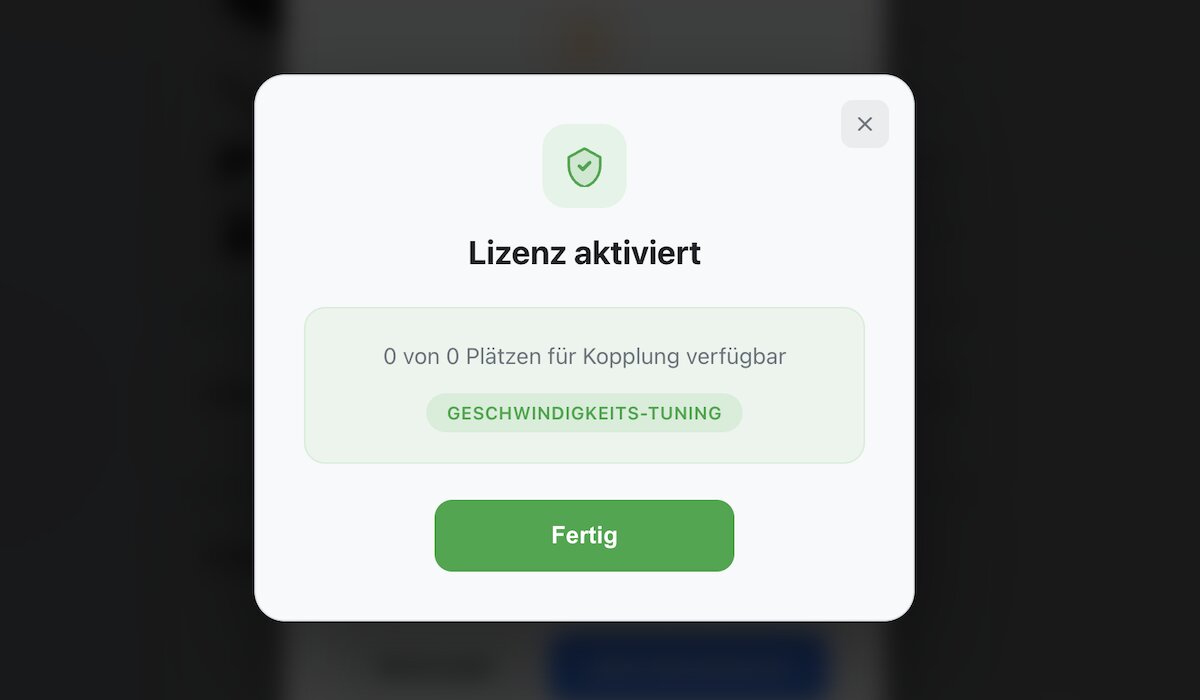
Step 9: Your license is activated and linked to the connected e-bike.
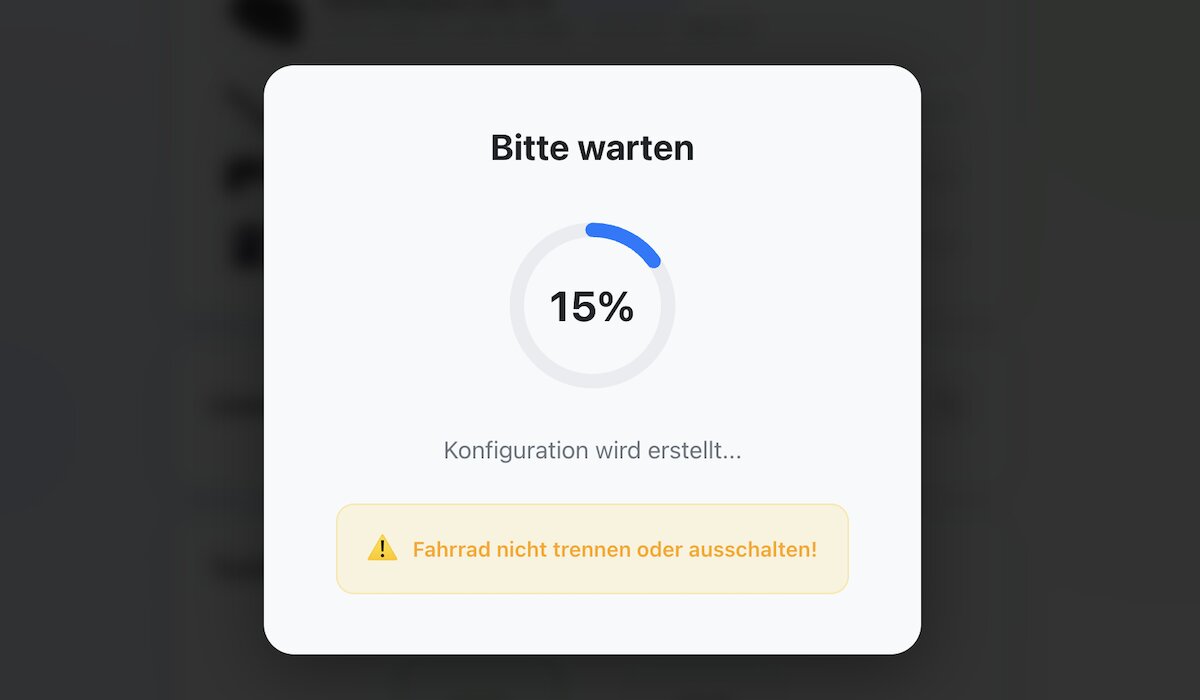
Step 10: Please wait while the configuration is written to the system.
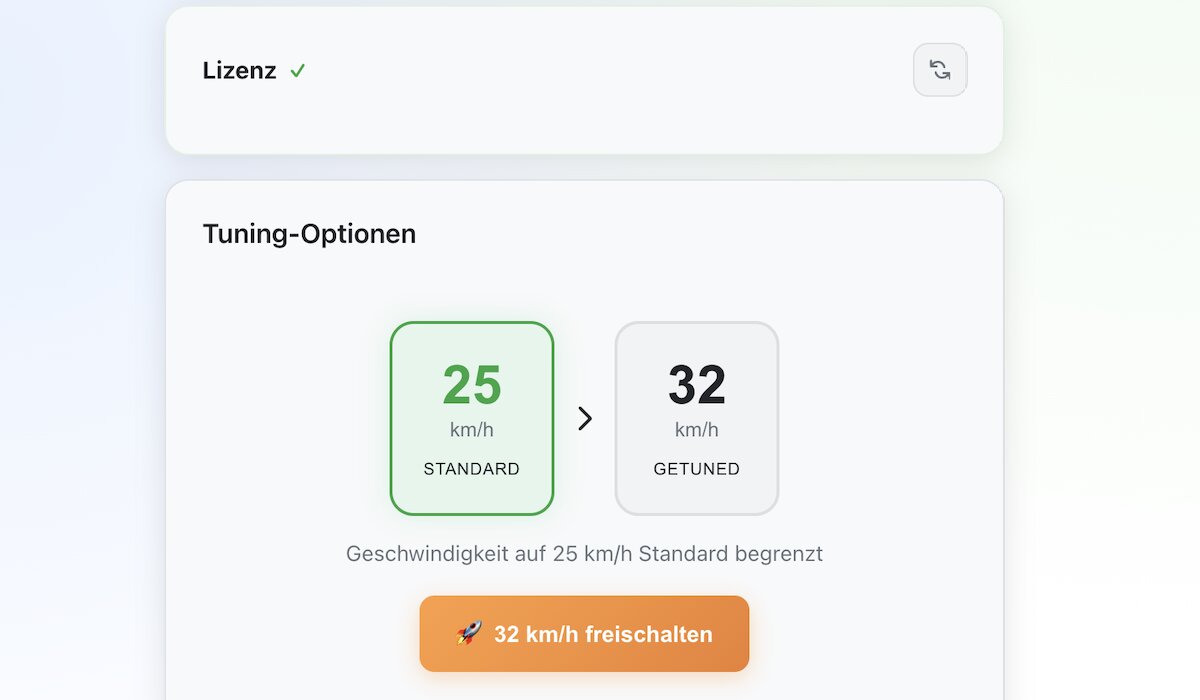
Step 11: Choose your tuning options. For Smart System e-bikes this can include the 32 km/h level and, if supported and approved, the optional 45 km/h level.
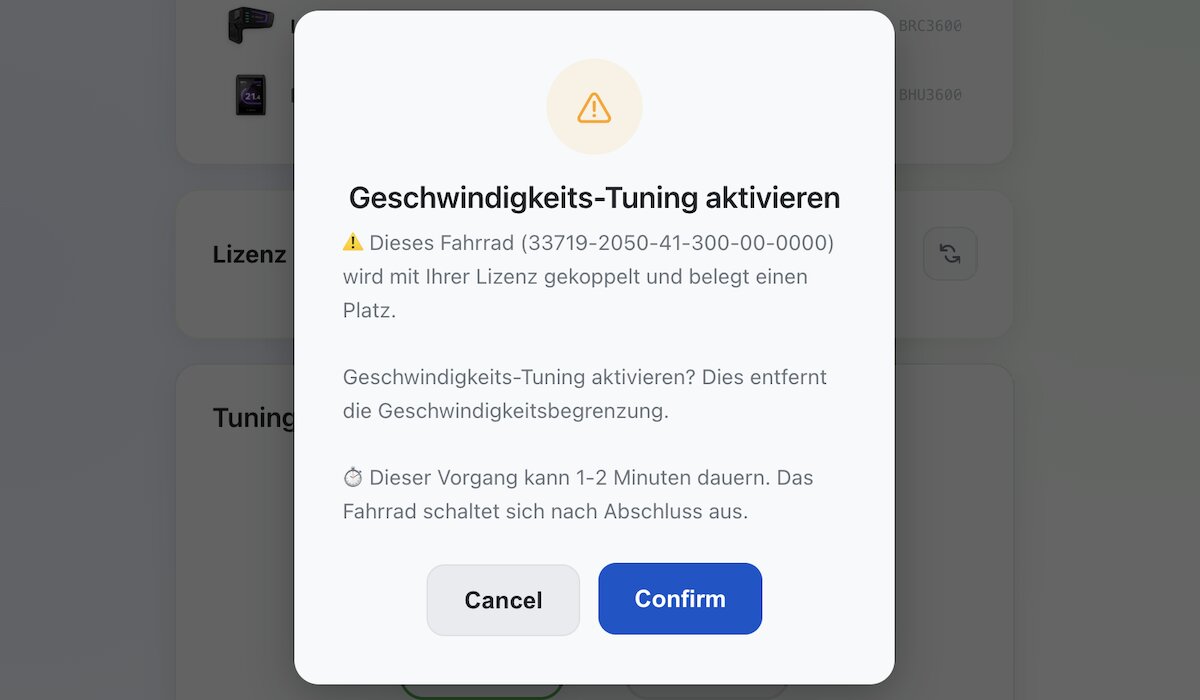
Step 12: Confirm the desired unlock option and activate the unlock.
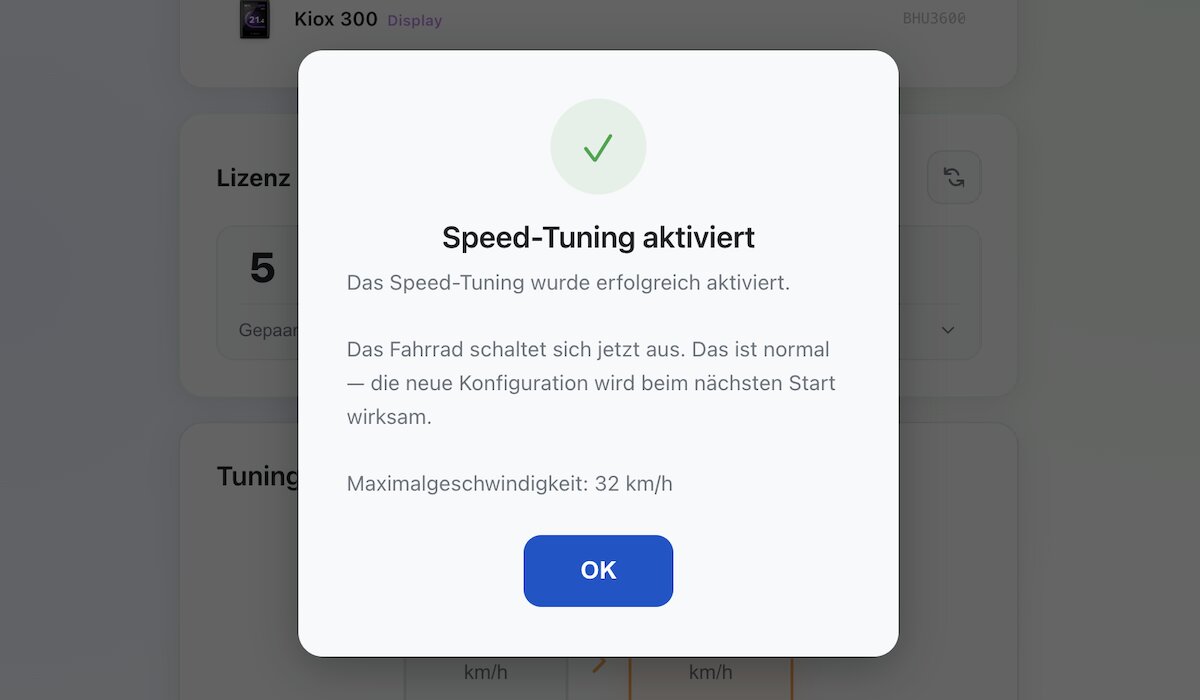
Step 13: The unlock is now active. Via the same platform you can return to the original state at any time later.
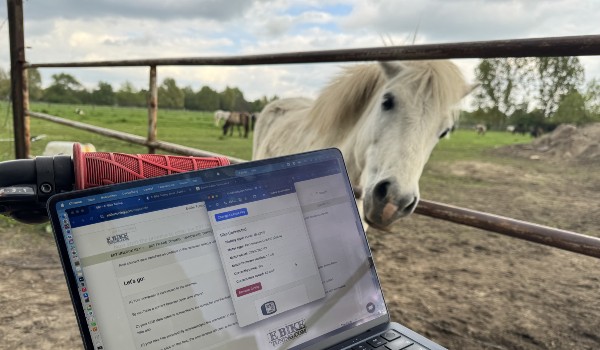
Step 14: Done – your browser-based unlock is ready to use.
Advantages of the Unlock Keys
- No installation, no app, no chip
- Completely browser-based process
- No motor disassembly required
- Permanent unlock, even after battery replacement
- Resettable at any time via the same platform
- Unlocking of your compatible Bosch e-bike in just a few minutes
- Clean solution for classic Bosch systems and Bosch Smart System
- The license code is system-bound and not freely transferable
Supported Bosch Motor Systems
- Gen1 BES1 – Bosch Classic Line / Classic+ (except Gen1 HMI)
- Gen2 BES2 – Active Line, Performance Line, Performance Line CX
- Gen3 BES2 – Active Line, Active Line Plus, Performance Line
- Gen4 BES2 – classic Gen4 systems with round charging plug
- Gen4 BES3 – Bosch Smart System Gen4 configurations
- Gen5 BES3 – Bosch Smart System Gen5 configurations
Not compatible with the EBT Unlock Key: Bosch Gen1 HMI, Bosch Smart System / BES3 and e-bikes with ABS.
Important Smart System notice: On Bosch Smart System, the EBTsmart Unlock Key supports many compatible configurations with or without rim magnet. For e-bikes with ABS, only the 32 km/h level is available.
Important Notice
Unlocking changes the technical classification of your e-bike. Use on public roads without the required registration, insurance or permission may be unlawful in many countries. Always check the legal rules that apply to you before use.
The provider is not liable for misuse, unlawful road use or damage caused by improper application.
More Questions?
More information: FAQ / Unlock Keys Overview / Glossary / Support
Understand the risks before You tune
Unlocking your e-bike removes the factory speed limit. While this can enhance performance and riding fun, it also brings significant legal and safety considerations.
Legal Restrictions
- Loss of Pedelec Status: After unlocking, your e-bike is no longer legally classified as a Pedelec in most countries. It may instead be considered a motor vehicle (small moped).
- Road Use: Riding an unlocked e-bike in public traffic is generally not permitted unless properly insured, registered, and equipped according to local regulations (e.g., license plate, helmet, insurance certificate).
- Personal Responsibility: By unlocking your e-bike, you assume full legal responsibility for its operation. Always comply with your country's laws and use tuned e-bikes on private property or designated areas only.
Insurance and Warranty Risks
- No Insurance Coverage: If you ride a tuned e-bike on public roads without the required insurance, your personal liability may not cover any damages or accidents.
- Warranty Impact: Unlocking may void the manufacturer's warranty and lead to loss of support from the bike brand or motor manufacturer.
Technical Risks
- Increased Wear: Higher speeds can put extra stress on your e-bike’s components, such as brakes, drivetrain, and tires.
- Diagnostics Visibility: Although tuning allows re-locking to factory settings, traces of unlocking may still be detectable during professional diagnostics.
- Firmware Updates: New firmware updates could potentially impact the compatibility of the tuning or reset functionality. Always check before updating.
Disclaimer
EBikeTuning.com provides tuning solely for use on private property or authorized areas. We do not encourage or support the use of tuned e-bikes on public roads.
Unlocking is at your own risk. EBikeTuning.com assumes no liability for damages, warranty losses, legal consequences, or any other issues resulting from the use of tuning.
Need more information? ➔ See our Frequently Asked Questions for details on compatibility, legal aspects, and safe usage.

